Diffusion garden
What is this?
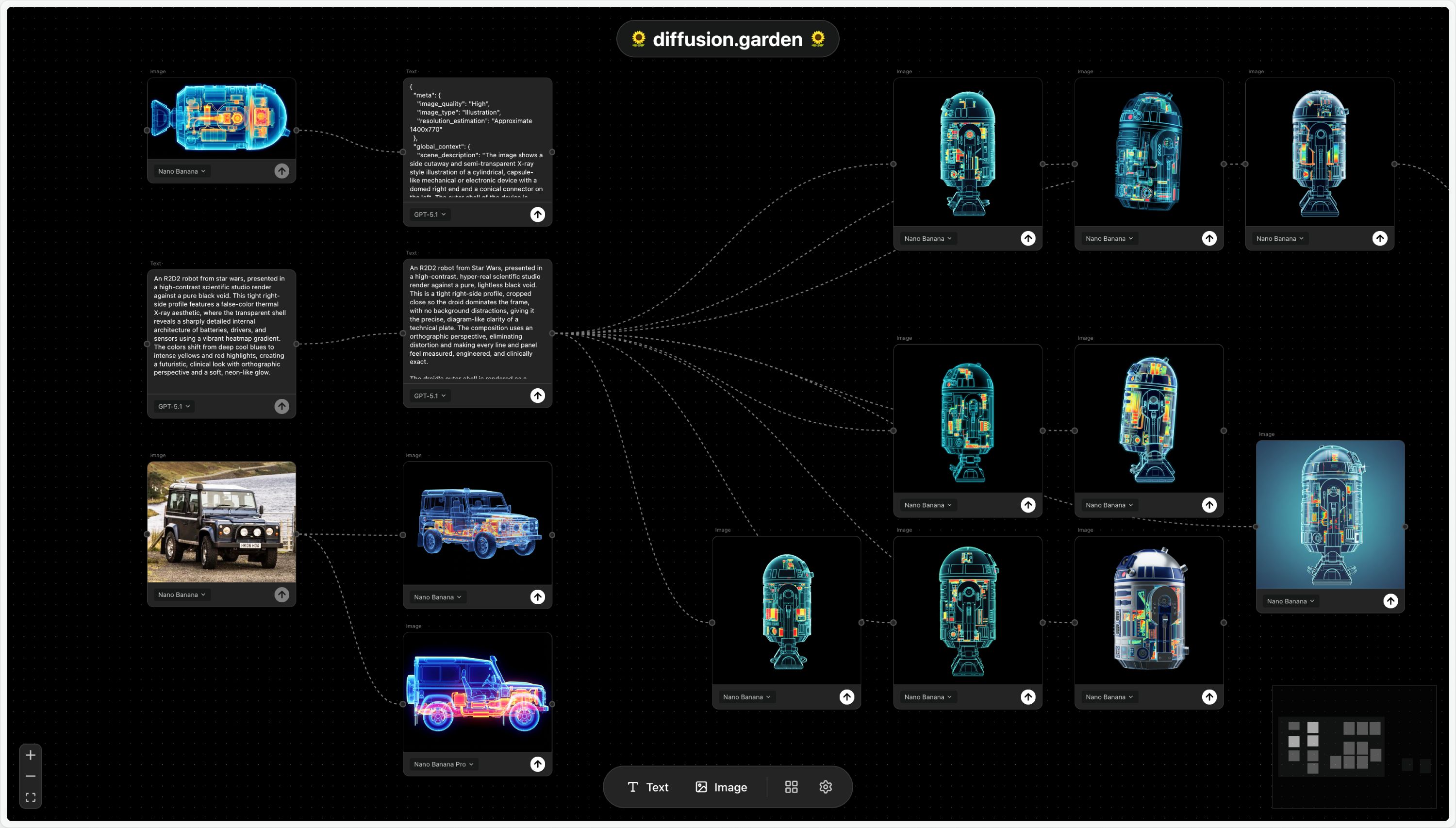
diffusion.sandr.in is an AI canvas for image generation that I built during my residency at the Recurse Center. You start with a prompt, then branch it into connected text or image blocks that can each run tools like expand, twist, image variations, etc. Each block can take in input from multiple blocks, and direct output to many other blocks. The edges between blocks preserve the history of an idea, making it easy to branch and explore in multiple directions.
Why did I build it?
I decided to build this as an exercise to get myself comfortable integrating text and image generation into a real product. I also wanted to run an experiment in building software that is tightly tailored to my own needs. All the tools I’ve built into this product are the result of trying to sand down the rough edges of my workflow in generating images.
Is there a demo?
You bet! Check out the demo below:
How does it work?
The main canvas is built on ReactFlow, an excellent library that provides scaffolding to build node-based UIs, which runs inside a React+Typescript frontend. I decided to try out Zustand for state management, because it seemed like a lighter and simpler alternative to Redux, and it has delivered on that expectation.
It would have been feasible to run this entire application in the frontend, since I planned to run inference through the OpenAI and Gemini APIs. However, I had two key requirements for this project that steered me towards implementing a backend:
- I wanted users to navigate to the website and start creating right away. In a frontend-only application, this would have required shipping my OpenAI and Gemini API keys with the frontend, which would expose them to abuse. By performing inference requests from the backend, I have full control over their throughput and lifecycle.
- I wanted users to be able to start an image or text generation task, leave the canvas, and have that task complete in the background. This required some mechanism for performing background jobs, which is much easier to implement with a backend.
To meet these requirements, I decided to implement a backend in Python, running a FastAPI web server with a Postgres database. The backend has several responsibilities:
- It maintains a queue of image and text generation jobs, and kicks them off asynchronously with retry logic and graceful failure. The frontend is able to subscribe to the status of these jobs through Server Side Events, and request both in-progress updates and final results. SSE is also how I'm able to stream chunks of text as they come in from the API, creating the waterfall effect during text generation.
- The backend receives frequent updates on the state of the canvas itself, and saves that state to the database. This allows the canvas to be restored after a page refresh.
- The backend manages the creation of pre-signed links for Cloudflare R2 object storage (similar to AWS S3, but with a more generous free tier!), which can then be used by both frontend and backend to upload images. This frees up bandwidth in the backend server, and makes the images load much faster since they are behind Cloudflare's CDN.
- The backend implements aggressive rate-limiting to the API endpoints for text and image generation (30 req/min per IP address). This protects the endpoints from abuse, and prevents my Google Cloud bill from ballooning.
Both frontend and backend are hosted on Railway, as separate projects. Railway takes care of auto-scaling resources vertically to my web server and database.
Where's the code?
The code for this project is open source and available on GitHub.